
AliExpress saw a 104% lift in conversions for new users after adopting a modern site strategy. That number shows how a fast, installable site can change results for brands in Italy and beyond.
You get an overview of how pwas make your website feel like an app. They load quickly, work offline, and send push messages without bulky installs.
Service workers and the web app manifest let your site cache important assets and update instantly. Big names like Twitter and Starbucks report higher engagement and smaller footprints versus native apps.
Key Takeaways
- Faster load and app-like experience: PWAs keep users engaged and reduce friction.
- Offline and push: Your site can serve customers even with poor connections.
- Real results: Brands have measured clear lifts in conversions and activity.
- Lower maintenance: One codebase can reach many devices without app store delays.
- Easy install: Optional home-screen install makes return visits simple for users.
Why PWAs Matter Right Now: Matching User Expectations and Your Business Goals
Today’s customers expect near-instant loading and phone-like interactions when they visit a site. Meeting that demand can lift conversions, reduce churn, and win repeat visits.
Search intent decoded: You’re evaluating speed, engagement, and conversion gains
Modern browser capabilities—HTTPS, service workers, and a web app manifest—let you deliver a reliable, installable experience without app store friction.
What this means for your team:
- You target faster loads and measurable revenue increase while cutting bounce on slow internet.
- You serve users across channels with fewer install steps than many mobile apps require.
- You reduce time to market by using a single codebase for broad reach.
| Business Need | How It Helps | Evidence | Stakeholder Value |
|---|---|---|---|
| Faster conversions | Instant loads and caching | AliExpress: 104% lift | Clear ROI |
| Higher engagement | Push and installability | Twitter Lite: longer sessions | Better retention |
| Resilience offline | Service-worker caching | Starbucks: offline orders | Protected revenue |
| Lower dev cost | One codebase across browsers | Reduced maintenance | Faster experiments |
What Is a Progressive Web App and How It Works Behind the Scenes
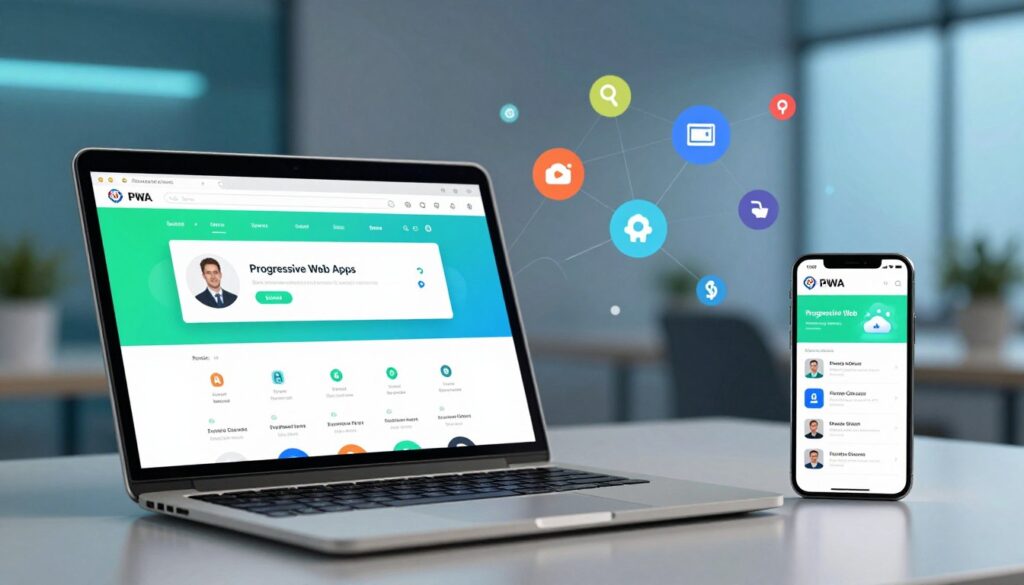
Under the hood, a PWA uses secure transport, background workers, and a small manifest to unlock native-like behavior for your site.
Core building blocks:
HTTPS, service workers, and the web app manifest
HTTPS protects data and is required for advanced features like push and background sync. A registered service workers script runs off the main thread. It intercepts network requests, caches files, and serves critical content when the connection drops.
The manifest defines icons, theme color, start URL, and display mode. Together these pieces make a site installable and able to start full screen, show a splash screen, and behave like a native program.
Progressive enhancement across browsers and devices
Not every browser supports every capability. PWAs use progressive enhancement so your site still works when a feature is missing. This keeps the core experience reliable for each device and user.
From website to app-like experience without the app store
By using lightweight standards-based technology, a pwa delivers fast start-up, smooth navigation, and offline reading. You reduce reliance on app stores while keeping an installable, linkable presence across platforms.
Progressive web app benefits
Give your audience reliable access to key content, even when their connection is unstable. You can design for continuity so users keep interacting with your site across devices.
Works offline and on flaky connections with intelligent caching
Service workers cache pages and assets so previously viewed content stays available offline. That reduces abandonment when networks drop and keeps key flows working.
Installable with a Home Screen icon and full-screen UX
You give users the option to add an icon and open your site full screen. Custom splash screens and standalone display raise perceived quality and increase return visits.
Linkable, shareable, and easy to re-engage
Clean URLs make deep links simple to share in email and social. Combined with push notifications, you can re-engage users at the right time and bring them back to exact content.
Responsive design that adapts to all screens and devices
Responsive layouts ensure a seamless UI on phones, tablets, and desktops without separate codebases. You also save bandwidth by serving smaller assets to users on limited plans.
- Prefetch and caching: speed up repeat interactions.
- Cross‑device continuity: start on desktop, continue on mobile via the same link.
- Reduced friction: installability and clean URLs boost engagement and access.
Speed and Performance: How PWAs Deliver Near‑Native Feel

Users notice subtle delays; reducing those milliseconds changes how your site feels and performs. You can shape perception with proactive caching, small payloads, and careful UI timing that together create a near-native experience on phones and desktops.
Service workers, caching strategies, and instant page transitions
Service workers run off the main thread and let you precache critical assets so transitions happen without blocking the UI. Use cache-first and stale-while-revalidate patterns to cut network trips and lower time to interactive.
Warming caches for repeat visitors and prioritizing above-the-fold resources deliver fast first paint. You can also add predictive prefetching to speed likely next clicks and keep navigation snappy.
Low data usage for faster loads and smoother interactions
Design your pwa to be lightweight. Tinder’s PWA is 2.8 MB versus a 30 MB native app — a real example that helps users on limited data plans. Serve compressed, modular bundles and reuse cached files between visits to reduce data use and speed loads.
- You precache assets to enable instant page transitions without UI thread delays.
- You adopt caching patterns to minimize network calls and improve perceived time.
- You measure Core Web Vitals to keep your web apps consistently fast for real users.
User Engagement That Scales: Push Notifications and Re‑Engagement Loops
Delivering the right message at the right moment is the fastest route to higher engagement. PWAs support web push notifications on both desktop and mobile to drive re‑engagement and rekindle sessions when users are most receptive.
Timely web push notifications on desktop and mobile
Brands report clear wins. Trivago logged a 150% increase in engagement after launching a PWA, and Twitter saw more posts and a 20% bounce decrease with Twitter Lite.
Reducing friction to increase repeat visits and conversions
You build higher-quality subscribers by asking permission with clear value. Then you send contextual pushes—sales alerts, saved carts, and reminders—that bring users back when it matters.
- Value-first prompts grow opt-ins without annoying users.
- Deep links + fast loads shorten the path to conversion.
- Segmented messages improve click-through and conversion rates.
- Frequency caps and quiet hours protect long-term engagement.
- Monitor opt-in, open, and assisted conversion metrics to refine strategy.
| Goal | Action | Metric | Result |
|---|---|---|---|
| Re-engage visitors | Contextual web pushes | Open rate | Higher return visits |
| Reduce friction | Deep links + fast loads | Time to action | Shorter funnels |
| Improve retention | Segmentation & caps | Repeat sessions | Higher lifetime value |
| Handle flaky networks | Service retry & queued sends | Delivered after reconnect | Recovered interactions |
SEO and Security Advantages Built Into the PWA Model
Search engines favor secure, crawlable pages, so your site gains visibility when it follows modern installable standards.
Discoverability benefits from HTTPS and manifest standards
HTTPS encrypts data in transit and builds trust with your visitors. That encrypted transport also reduces exposure to sniffing and man-in-the-middle risks.
The manifest and standardized service worker scopes encourage structured, indexable pages. As a result, web applications can rank like sites while keeping installable features.
Encrypted transport and limited permissions for safer experiences
Compared with native applications, PWAs typically request fewer permissions. You lower the permission surface area and cut common vectors attackers exploit.
Controlled caching and scoped service workers help prevent stale or poisoned assets. Use cache strategies and fast invalidation to keep content fresh and secure.
- You benefit from HTTPS by default, protecting data and user trust.
- Manifests make content more discoverable and easier for search engines to crawl.
- Your content ranks on the open web instead of hiding behind a store listing.
- Limited permissions reduce risk versus larger native installations.
- Use tools like Lighthouse to centralize audits for performance, SEO, and security.
| Focus | What it does | Practical result |
|---|---|---|
| HTTPS | Encrypts transport | Higher trust & lower interception risk |
| Manifest & structured content | Improves indexability | Better search visibility |
| Scoped service workers | Controlled caching | Fewer stale assets, safer caching |
| Permission model | Limits device access | Smaller attack surface |
Business and Development Advantages You Can Measure
Keeping one codebase changes how your team spends time. You use the same HTML, CSS, and JavaScript to reach phones, tablets, and desktops. That reduces duplicate work and lowers coordination costs.
One codebase for web apps means fewer platform-specific bugs and faster releases. Your QA team focuses on one deployment pipeline, so tests are simpler and regressions fall.
Ship faster without app store delays
You bypass app store approvals and push updates instantly. Users get automatic updates with no manual installs, so fragmentation drops and feature rollouts are smoother.
Lower support and clearer metrics
Always-current versions cut support tickets. When everyone runs the same release, reproducing issues takes less time and fixes reach users immediately.
- You consolidate work into one codebase that runs across browsers and devices.
- You control release cadence without app store gatekeeping.
- You reduce support overhead thanks to automatic updates.
- You free budget to improve UX, performance, and growth.
| Challenge | How PWAs help | Measured result |
|---|---|---|
| Parallel native builds | Single web codebase for multiple platforms | Lower development costs and faster delivery |
| App store delay | Direct deployment to users | Shorter release cycles and rapid iteration |
| Fragmented versions | Automatic updates | Fewer support tickets and consistent behavior |
For companies focused on speed, these advantages translate to measurable wins: reduced build time, faster release cycles, and lower total cost of ownership. That is a clear operational advantage you can track.
Proof in the Results: Real Brands Winning with PWAs

Data from top companies shows clear increases in user metrics after deploying a fast, installable site. These outcomes make a compelling case for your own strategy.
AliExpress, Twitter, and Starbucks
AliExpress recorded a 104% increase in conversions for new users after a progressive web app rollout.
Twitter Lite saw a 75% rise in tweets per user, 65% more pages per session, and a 20% drop in bounce rates. That shows speed changes behavior.
Starbucks proved offline ordering works and kept a much smaller footprint than its native mobile apps, helping users on constrained connections.
Travel, retail, and content platforms
Trivago reported a 150% increase in engagement. Lancôme posted a 17% lift in conversions and a 53% increase in mobile sessions. Pinterest improved discovery and session depth.
Use these benchmarks to estimate targets for sessions, conversions, and retention. The gains happened across real internet conditions, not just in a lab.
| Brand | Primary Gain | Key Metric | What to learn |
|---|---|---|---|
| AliExpress | Conversion increase | 104% lift (new users) | Fast loads drive purchases |
| Twitter Lite | Higher engagement | 75% more tweets; 20% lower bounce | Speed raises activity |
| Starbucks | Offline resilience | Offline orders; tiny footprint | Works for constrained devices |
| Lancôme / Trivago / Pinterest | Content & session growth | 17% conv lift; 150% engagement; higher discovery | Apply for retail, travel, content |
Conclusion
When your site behaves like an application across devices, you cut friction and unlock measurable gains. PWAs blend HTTPS, service workers, and a manifest to deliver offline access, push, and installability without app store delays.
You can move faster in development by keeping one codebase that serves every screen. That saves time, reduces maintenance, and helps you ship updates instantly so all users stay on the latest release.
Focus on performance, accessible design, and trusted security to protect data and keep users engaged. Use metrics—sessions, conversions, retention—to validate the advantages and plan a phased rollout that fits your market in Italy.
FAQ
What is a PWA and how does it differ from a native app?
A PWA is a website that uses modern standards—HTTPS, the web app manifest, and service workers—to deliver an app-like experience. You don’t need to install through an app store; instead you can add it to your device’s home screen. It feels like a native application with fast loads, offline access, and push notifications, while using a single codebase that runs across phones, tablets, and desktops.
How does offline access actually work?
Service workers act as a programmable network proxy that caches key resources and data. When the network is slow or absent, the service worker serves cached files or fallback content so your pages remain usable. This reduces data use and keeps critical functions—forms, catalogs, and carts—available during flaky connections.
Will a PWA improve load speed and performance?
Yes. PWAs use caching strategies, pre-caching, and background sync to deliver instant page transitions and lower latency. That results in faster interactive times and reduced data usage, which increases engagement and conversion compared with traditional websites.
Can PWAs send push notifications and re-engage users?
They can. Most modern browsers support web push notifications on desktop and mobile. You can use targeted messages and permission-based alerts to drive repeat visits, recover abandoned carts, or announce offers—boosting retention without an app store campaign.
Are PWAs discoverable by search engines?
Yes. Because PWAs are standard web content served over HTTPS, search engines can crawl and index them. Proper metadata, structured data, and a well-formed manifest help with discoverability and can improve organic traffic alongside traditional SEO measures.
Do PWAs require app store approval or fees?
No. You can distribute a PWA directly from your site, avoiding app store review cycles and listing fees. Users add the site to their home screen or install it from the browser prompt, and updates happen instantly without manual downloads.
What security measures protect users of a PWA?
PWAs require HTTPS, which ensures encrypted transport. Service workers and the manifest run under secure origins, and permissions are limited and user-consented. These layers reduce attack surface and give you a safer application model compared with unsecured web pages.
How much does it cost to build and maintain a PWA?
Costs vary, but one codebase for multiple platforms reduces development and maintenance expenses. You avoid separate native builds for iOS and Android, lower testing complexity, and spend less time on app store compliance—so long-term support and updates are cheaper and faster.
Can large brands achieve measurable gains with a PWA?
Absolutely. Case studies from AliExpress, Twitter Lite, Starbucks, Pinterest, and others show higher conversions, longer sessions, and improved engagement. The combination of speed, offline access, and re-engagement tools delivers tangible business results.
Will a PWA work on all devices and browsers?
PWAs are designed for progressive enhancement: they deliver core functions everywhere and advanced features where supported. Most modern browsers on mobile and desktop support service workers and manifests; fallback behavior keeps the site usable on older browsers.
How do you measure success for a PWA?
Track metrics like load time, time to interactive, bounce rate, conversion rate, repeat visits, push opt-ins, and average session length. Lower data usage and fewer support tickets are additional signals that your PWA is improving user experience and reducing costs.
What development skills are needed to build a PWA?
You need front-end skills—HTML, CSS, JavaScript—plus knowledge of service workers, caching strategies, manifest configuration, and HTTPS deployment. Familiarity with performance auditing tools and analytics helps you optimize and measure impact.