
Surprising fact: studies show that over 60% of attacks start on a single workstation, yet many teams still rely only on classic antivirus.
You need clear guidance to pick the right protection. This intro shows how layered protezione and modern tools change the game.
Kaspersky’s multi-layered engine mixes signatures, heuristics, behavioral analysis and cloud-assisted tech to defend Windows, Linux and Mac devices.
System Watcher can block suspicious behavior and roll back malicious changes, while Automatic Exploit Prevention hardens commonly targeted apps like Office and Java.
This section helps you compare classic antivirus against EDR so you can choose a prodotto that fits your enterprise risk, compliance needs, and operational capacity.
Key Takeaways
- Understand the core differences between AV and EDR and when each is appropriate.
- Layered protezione with behavioral detection closes gaps signatures miss.
- Cloud-assisted tools speed detection and reduce false positives.
- Rollback and exploit prevention improve recovery and reduce impact.
- Match your prodotto choice to your enterprise maturity and risk model.
Why endpoint security for business matters right now
Your organization faces threats that evolve in hours, not days. Attackers use fileless techniques, living-off-the-land tools, and zero-day exploits that legacy AV misses.
Modern protections must combine fast updates, behavioral detection, and cloud-informed intelligence to close those gaps. Kaspersky delivers frequent, lightweight database updates so you stay current without straining bandwidth.
Modern threats require more than legacy antivirus
You need layered protezione and tighter controllo over user behavior and app permissions. That reduces lateral movement and privilege abuse in real tempo.
Zero-hour protection relies on evolving technologies and threat intelligence to detect unknown malware quickly.
Your data now lives on laptops, servers, mobiles, and the cloud
Data spans devices and cloud workloads, raising privacy exposure and compliance risk. Mobile defenses must block phishing, filter spam, and detect rooting or jailbreaking to keep each device safe.
- Visibility: unified views let you contain incidents early.
- Performance: lightweight updates preserve sistema responsiveness and user productivity.
- Policy: consistent rules across platforms lower risk and shadow IT.
| Challenge | What to expect | How Kaspersky helps |
|---|---|---|
| Zero-day attacks | Rapid, unknown threats | Cloud-assisted threat intelligence and behavioral engines |
| Mobile risks | Phishing, spam, rooting | Anti-phishing, anti-spam, jailbreak detection |
| Operational impact | Bandwidth and performance | Frequent, small updates and optimized protection |
| Privacy & compliance | Data across devices and cloud | Consistent policies and controls to protect privacy |
Antivirus vs EDR: what’s the difference and how to choose
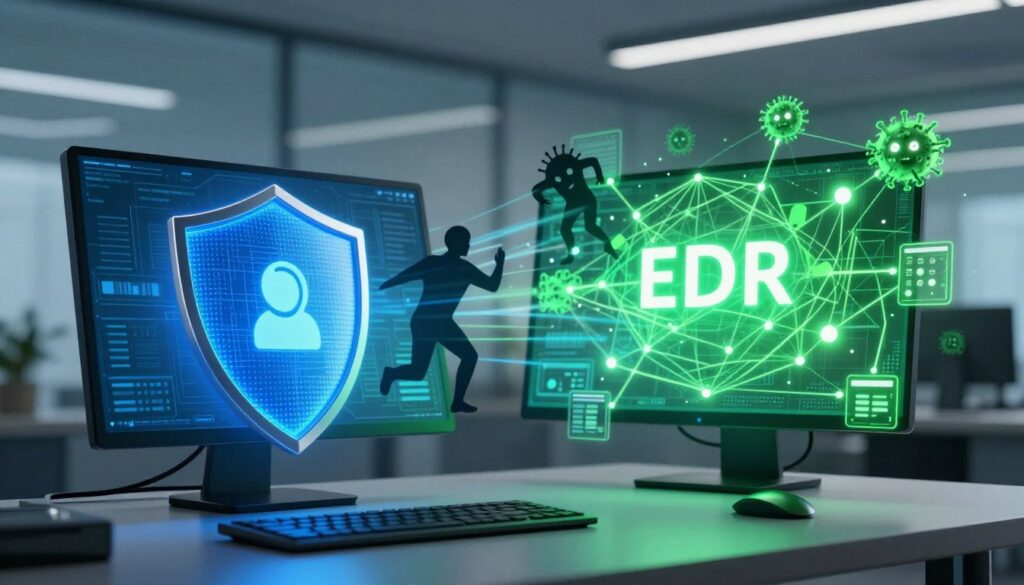
Choosing the right detection layer changes how quickly you spot and stop attacks. Start by matching risk, operational capacity, and compliance needs to a practical protection plan.
Traditional AV: signatures, heuristics, and baseline protection
Traditional antivirus relies on signatures, heuristics, and reputation to deliver a baseline livello of defense against known malware. It is light to manage and suits regulated setups with low change rates.
EDR: behavior, investigation, and response at scale
EDR adds behavioral analytics, telemetry collection, and guided investigation workflows. It helps you hunt, triage, and respond across hosts. Use EDR when targeted threats, lateral movement, or complex attacks are likely.
When AV is enough—and when you need EDR capabilities
Exploit prevention and application-aware tecnologie such as Automatic Exploit Prevention reduce common initial access vectors across applicazioni. System Watcher detects suspicious behavior and can roll back malicious changes automatically.
- Gestione trade-off: AV needs simpler policy and maintenance; EDR adds triage and hunting tasks.
- Escalation: automatic blocking and rollback first, then analyst-driven investigation when needed.
- Path forward: deploy strong kaspersky endpoint security with behavior monitoring, then layer EDR modules as maturity grows.
Centralized reporting and a single console reduce overhead and help you decide when to move from baseline protection to deeper response. This approach suits the Italian market and keeps your endpoint strategy practical and measurable.
Kaspersky Endpoint Security for Business: core protections mapped to your needs
Map protections to real risks so each device has the right level of defense.
Multi-layered anti-malware combines signatures, heuristics, behavior analytics and cloud-assisted tecnologie across Windows, Mac, and Linux. This layered protezione helps you catch known and unknown malware quickly while keeping false positives low.
System Watcher watches suspicious actions and can roll back file, registry, and system changes. That automatic rollback restores a dispositivo after ransomware or destructive attacks with minimal disruption.
Hardening, network controls, and threat intelligence
Automatic Exploit Prevention shields high-risk apps like Microsoft Office, Java, and Adobe Reader. HIPS enforces rules by trust level and the Personal Firewall controls inbound and outbound flows.
- Network Attack Blocker detects scans and suspicious traffic to reduce lateral movement.
- Kaspersky Security Network (cloud) delivers fast threat intelligence to speed detections and cut false positives.
| Capability | What it does | Benefit |
|---|---|---|
| Multi-layer engine | Signatures, heuristics, behavior, cloud | Broad, fast protezione |
| System Watcher | Behavioral blocking and rollback | Rapid recovery of files and settings |
| AEP & HIPS | Exploit prevention and trust-based controls | Hardens apps and limits risky actions |
| Firewall & Network Blocker | Traffic control and attack detection | Reduces lateral threats |
Manage everything from a single console for better control

Managing protection from a single control point cuts complexity and speeds response. Kaspersky Security Center gives you one unified view to manage mobiles, laptops, servers, VMs, and more.
Unified visibility with Kaspersky Security Center
See all assets and policies in un’ unica console, so you reduce swivel-chair work and make faster decisions. Tight in-house integration and a single codebase improve performance and governance.
Policy, reporting, and integrations
You standardize gestione of endpoints, servers, mobiles, and virtual machines from a single pane of glass. Automate deployments, policy inheritance, and patch windows while keeping audit trails intact.
- Integrate with Active Directory, AMSI, SIEM (Syslog), RMM, PSA, and EMM to fit your ops tools.
- Enable role-based access so your team separates duties and lowers operational risk.
- Create scheduled and on-demand reports to track coverage, incidents, and SLAs for leadership.
- Apply application-specific policies to risky applicazioni without disrupting workflows.
Use cloud-assisted insights to enrich detections and prioritize remediation across your endpoint estate. Consolidating tools into una unica console reduces costs and turns visibility into action for better security business outcomes.
Platform coverage and performance across desktops, servers, and mobile
Ensure your fleet stays fast and protected across desktops, servers, and mobiles without adding admin overhead. Kaspersky protects Windows, Linux, and Mac desktops and laptops with frequent, smaller updates that cut bandwidth and preserve performance.
Windows, Linux, and Mac endpoints with optimized updates
Lightweight updates reduce impact during peak hours so users keep working. You get behavior-based detection, signature updates, and cloud-assisted intelligence while keeping CPU and I/O overhead low.
File server protection across generations and clusters
You protect file servers from windows server 2008 through windows server 2022, including clustered setups and Microsoft and Citrix terminal servers. Scanning is optimized for heterogeneous server environments (Windows, Linux, FreeBSD) to minimize throughput impact.
Mobile threat defense and device controls
Mobile defenses block phishing and filter spam. Rooting and jailbreaking detection triggers automatic dispositivo block to stop data loss.
Remote lock, selective wipe, and locate help contain incidents. EMM support (Exchange ActiveSync, iOS MDM, Samsung KNOX) and a Self-Service Portal speed onboarding and self-remediation.
Cloud-assisted intelligence to reduce false positives
Kaspersky Security Network provides real-time cloud insight that accelerates detections and cuts false positives. That cloud feedback loop keeps your policies accurate and your teams focused on real incidents.
- Cross-OS coverage: Windows, Linux, Mac with tuned updates.
- Server reach: windows server 2008–2022, clusters, terminal servers.
- Mobile controls: anti-phishing, anti-spam, SIM Watch, remote actions.
- Cloud intelligence: faster detection and fewer false positives.
Editions and capabilities: Select, Advanced, and Total

Choose an edition that gives you fast wins now and clear upgrade paths later. Each tier maps features to risk, budget, and gestione so you scale without reworking tools.
Select
Security business select covers core defense with behavior detection, remediation, and application/web/device controls. It includes Kaspersky Security Center, HIPS, vulnerability checks, and exploit prevention.
You can integrate kaspersky endpoint security with Kaspersky Sandbox and EDR Optimum to add guided investigation without a full SOC.
Advanced
Move to Advanced when you need patch management, encryption, and deeper gestione. This tier adds Adaptive Anomaly Control and OS-built-in encryption management.
Advanced also supports advanced SIEM integration and automated OS and third‑party applicazioni installation to reduce exposure windows.
Total
Total extends protezione to web and email gateways. It adds inbound/outbound content filtering and anti-spam at the gateway level.
Choose Total when you must protect mail and web flows at the gateway and keep a single, standard console across sites.
- Start: security business select for essentials.
- Harden: Advanced adds automation and encryption.
- Extend: Total brings gateway web and mail filtering.
Requirements, deployment, and support to get you live fast
Start rollout by verifying minimo CPU, RAM, and disk across workstations and server hosts.
System requirements at a glance: Windows workstations need a 1 GHz CPU (SSE2), 1–2 GB RAM and 2 GB free disk. Servers typically need a 2.4 GHz quad‑core, 2 GB RAM and 4 GB disk to keep performance steady.
Supported environments
You get broad OS coverage: Windows 7 SP1 through Windows 11 and windows server 2008, windows server 2012, windows server 2016, windows server 2019, and windows server 2022. Linux support includes Ubuntu LTS, RHEL, SUSE, Oracle Linux and Amazon Linux 2. macOS requires 10.14+ on Intel or Apple silicon.
Virtualization and mobile integrations
Run in VMware ESXi, Hyper‑V and Citrix stacks or in lab virtualization with Parallels and VMware Fusion. Mobile gestion uses Intune, AirWatch, MobileIron, MaaS360 and SOTI for smooth configurazione and device control.
Fast fulfillment and assisted setup
Licenses and download links arrive by email so you save tempo. Remote assistance and live chat help your team finish configurazione via the console and enforce privacy settings and admin control.
Conclusion
Decide quickly which tier fits your needs and get protection running in hours. Choose a strong, managed option that scales with your growth.
kaspersky endpoint security unifies cloud intelligence and an integrated codebase to raise detection quality and ease gestione. Start with Security Business Select and upgrade to Advanced or Total without retooling your sistema.
Manage policies, visibility, and reports from a single console to tighten controllo and cut overhead. Your team gains faster detection of malware, rollback capabilities, and guided setup so licenses arrive by email and deployment finishes fast.
Pick your prodotto, request a license, and deploy in hours—so you protect each dispositivo and keep operations moving.
FAQ
What’s the difference between traditional antivirus and EDR?
Traditional antivirus uses signatures and heuristics to block known malware and suspicious files. EDR (Endpoint Detection and Response) monitors behavior, collects telemetry, and helps you investigate and respond to advanced attacks in real time. If you need rapid detection, root-cause analysis, and active response, EDR provides those capabilities beyond classic AV.
How do I know if AV alone is enough for my organization?
AV can be enough for small teams with standard office workloads and low regulatory risk. If you handle sensitive customer data, run public-facing servers, use remote workers, or need fast incident response, you should consider EDR or a combined solution to reduce dwell time and contain threats.
Can Kaspersky protect Windows Server 2019 and other server versions?
Yes. Kaspersky supports Windows Server editions from 2008 through 2022, including terminal servers and clustered file servers. The product offers optimized scanning and update policies to minimize performance impact on production servers.
How does Kaspersky’s System Watcher help after an infection?
System Watcher monitors suspicious behavior and can automatically roll back harmful changes made by malware. That allows you to restore files and system state quickly while investigators analyze the incident, reducing downtime and data loss.
Will the solution affect endpoint performance on laptops and desktops?
Kaspersky uses cloud-assisted protection and optimized update mechanisms to reduce CPU and I/O load. You can tune scan schedules and exclusions via the management console to keep user devices responsive while maintaining protection.
How do you manage protection across PCs, servers, and mobile from one place?
Kaspersky Security Center provides a unified console where you deploy policies, run reports, view alerts, and integrate with AD, SIEM, RMM, or EMM systems. That single-pane approach simplifies administration and improves visibility across your entire estate.
What integrations does the console support for enterprise tools?
The console integrates with Active Directory, AMSI, major SIEM platforms, remote management tools (RMM/PSA), and mobile device management systems. These integrations help automate workflows and centralize telemetry for faster response.
Which edition should I choose: Select, Advanced, or Total?
Choose Select if you need core anti-malware, behavior controls, and EDR Optimum integration. Pick Advanced when you require patch management and encryption. Select Total to add gateway protections such as web/email filtering and anti‑spam at the perimeter. Match features to your compliance, operational, and budget needs.
Does Kaspersky support Linux and macOS endpoints as well?
Yes. The platform covers major Linux distributions and macOS versions supported by Kaspersky. It also offers file server protection, virtualization support for VMware/Hyper‑V/Citrix, and mobile threat defense for Android and iOS via MDM/EMM integration.
How quickly can I deploy and get support after purchasing licenses?
Licenses are typically delivered by email for fast fulfillment. You can use assisted setup and remote support to accelerate deployment. Kaspersky offers documentation and professional services if you need help with architecture, tuning, or integration.
What measures reduce false positives while maintaining protection?
Cloud-assisted intelligence through Kaspersky Security Network, layered detection (signatures, heuristics, behavior), and controlled rollback combine to lower false positives. You can also fine-tune policies and exclusions from the management console to suit your environment.
How does the solution help with compliance and privacy controls?
The platform provides policy enforcement, centralized logging and reporting, and encryption features (in Advanced) to help meet regulatory requirements. Role-based access in the console limits who can view or change sensitive settings, supporting privacy and governance needs.