Surprising fact: more than 40% of high-traffic sites now use a decoupled CMS pattern to speed delivery and scale globally.
You manage content in a familiar CMS while a separate frontend requests content over the REST API and renders pages for users. This split means your editorial team keeps the backend, and your developers build a modern frontend with a chosen framework like React or Vue.
The traditional request path—server loads PHP templates and returns HTML—gives way to an app that fetches JSON and renders HTML via SSR, SSG, or static builds. This approach improves performance and gives you modern design and deployment options, but it also adds complexity: two codebases, different hosts, and plugin limits.
In this guide you’ll see when a decoupled architecture fits sites like ecommerce, media, or mobile apps, and when a classic setup is still faster to market.
Key Takeaways
- You keep content workflows in the CMS and serve the frontend via API.
- Use SSR/SSG to ensure crawlable HTML and strong SEO.
- Expect added maintenance: two codebases and deployment steps.
- Best for high-traffic sites, apps, and complex design needs.
- Setup centers on enabling the REST API, modeling content, and picking a render strategy.
What You’ll Learn and Why Headless Is on Everyone’s Radar
This guide shows what you’ll gain from a decoupled CMS and why it matters for modern web projects.
Your goals: speed, control, and multi‑channel delivery
Faster pages: pre-rendering (SSG) or caching SSR at the edge reduces server work and speeds up perceived load for each page.
Tighter frontend control: you pick routing, state management, and component performance to fit your product needs.
Multi‑channel reach: a single backend can push content to web sites, mobile apps, and IoT via APIs, cutting duplication for editors.
How this Ultimate Guide is structured for you
We move from concepts to hands‑on steps. Start with architecture, then backend prep, frontend build, SEO, and cost. Jump to the part that matches your team’s stage.
“Expect trade-offs: performance and flexibility often mean rethinking theme tools and some plugin behavior.”
- Learn when prebuilt HTML or cached SSR makes sense.
- See how media, post workflows, and redirects change in a decoupled stack.
- Compare REST vs GraphQL and preview operational realities like cache invalidation.
Headless WordPress: What It Is and How It Works

Understanding where rendering and data access live will help you pick the right architecture.
Traditional request flow vs a decoupled architecture
In the traditional model a user request hits the web server, loads wp-config and plugins, resolves the correct theme template, queries the database, and returns HTML to the browser.
By contrast, a decoupled setup often sends JSON to a separate frontend app. That app—an SPA or framework renderer—then builds the page either before delivery or on demand.
APIs that power the modern workflow
The core REST API is available out of the box and widely supported by plugins like WooCommerce. It gives endpoints such as /wp-json/wp/v2/posts?slug=hello-world for a single post.
WPGraphQL is an alternative that lets you request nested fields in one call. Use it to fetch a post and the author avatar together and avoid extra round trips.
Frontend responsibilities: SSR, SSG, or static files
Your frontend now handles routing, templating, and hydration. Choose SSR for fresh, crawlable HTML or SSG for prebuilt files deployed to a CDN.
- Monolithic: server templates query the database and render HTML.
- Decoupled: client or server fetches JSON, composes pages, and leverages edge caches.
- Hybrid: incremental builds and cached SSR balance freshness and speed.
Follow a short tutorial: enable the REST or GraphQL endpoint, confirm a posts endpoint, and wire a simple client to render a page.
When Headless WordPress Shines and When It Doesn’t
wordpress headless setups really pay off when you need global scale or multi‑channel reach. Large media brands, high‑traffic marketing sites, SaaS docs, ecommerce storefronts, and native mobile apps get fast, consistent delivery from an API‑first model.
Where it thrives:
- Publishers pushing content to web, apps, and kiosks with one backend.
- Brands that pre‑render pages and cache them at the CDN edge for global performance.
- Ecommerce or mobile experiences that need custom UIs and native integrations.
Potential drawbacks to weigh
Expect more maintenance: two codebases, separate CI/CD, observability, and on‑call effort. Some plugins do not expose data and require custom endpoints or sync layers.
| Factor | When it helps | When to avoid |
|---|---|---|
| Scale | High traffic, global users | Small sites with limited traffic |
| Operations | Teams that can manage CI/CD and multiple hosts | Limited dev resources or single server hosting |
| Tooling | Custom frontends (React, Vue, Next.js) | When theme blocks and built‑in components matter |
Also consider cost: hosting and server overhead for both backend and frontend raise TCO. Many sites reach similar speed with proper cache, compression, and a strong CDN on a classic setup.
Deciding If Headless Fits Your Project
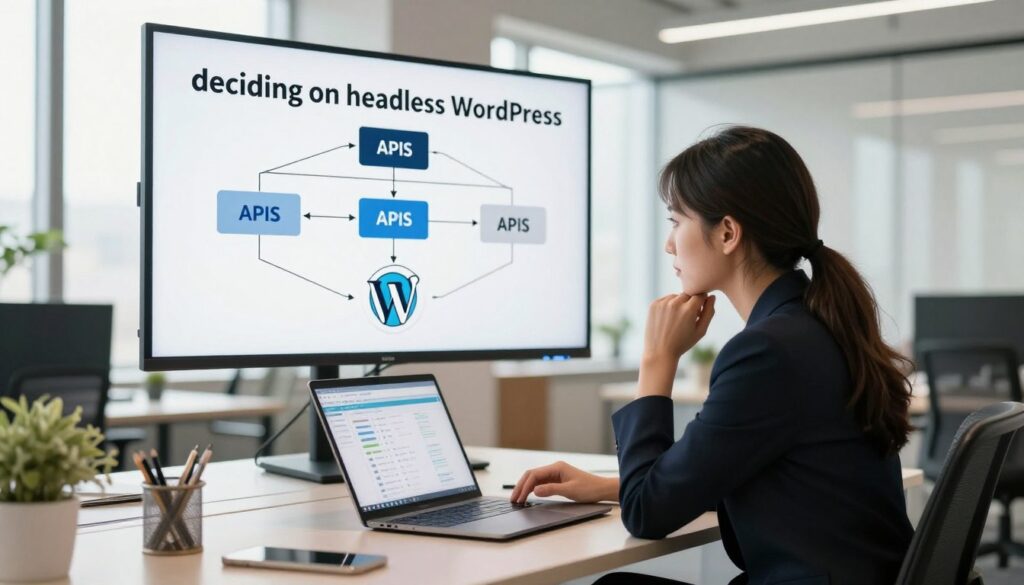
Deciding if an API-driven approach fits your project starts with an honest look at skills, content, and timelines.
Team skills: If your developers are fluent in JavaScript frameworks and API work, an app-first frontend gives control. If your team prefers PHP and classic theming, a single backend may deliver the same results faster.
Content model & cadence: Structured fields and clear content types are easy to consume via an API. Free-form blocks can be sent as raw HTML or mapped to components — the latter needs more engineering and testing.
Build strategy: Frequent posts and updates favor SSR or incremental regeneration. Infrequent publishing can justify full static builds and CDN hosting.
Budget and maintenance: Expect costs for a dual stack: app development, CI/CD, monitoring, and ongoing refactors as your chosen framework evolves. Also plan editorial UX like previews, plus handling forms, comments, search, and media delivery.
- Match hosting to needs: managed backend plus static host or an all‑in‑one platform.
- Compare effort: robust caching on a traditional setup can rival an API stack for many blogs and pages.
Architecture Choices: REST vs GraphQL, SSR vs SSG vs Static
Pick the data layer and render pattern early — that decision shapes your performance, caching, and developer workflow.
Choosing your data layer: out‑of‑the‑box REST vs flexible GraphQL
The wordpress headless approach can start quickly because the wordpress rest endpoints are enabled by default. REST gives you predictable URLs and a large ecosystem of plugins that already expose data.
GraphQL (WPGraphQL) shines when you need nested data in one request. It reduces overfetching and cuts round trips for complex pages.
Render strategies: server‑side rendering, static site generation, hybrid
SSR gives always‑fresh HTML and works well when pages must show live data. Route SSR through a Node server and pair it with edge caching for speed.
SSG builds static files for the CDN and is the cheapest, fastest option for mostly static sites. Hybrid models like incremental regeneration let large sites update parts without full rebuilds.
Caching layers and CDNs at the edge for performance
Plan caching across the stack: origin cache (Varnish/NGINX), API response caches, and global CDNs to lower time‑to‑first‑byte.
Use webhooks on publish to invalidate caches and fallback strategies for stale content so users see the right data at the right moment.
| Need | Best fit | Notes |
|---|---|---|
| Fresh content | SSR + edge cache | Good for dynamic pages, needs invalidation |
| High scale | SSG + CDN | Fast and cost‑efficient for many static routes |
| Complex queries | GraphQL | Fewer requests, tighter payloads |
Tip: choose a framework that fits your team (Next.js, Nuxt, Astro, React, Vue). Map your content model to the render strategy and design client hydration only where needed.
Preparing the Backend: Plugins, Content Structure, and Media
Start by provisioning a stable backend so your frontend can rely on consistent endpoints and predictable data. Spin up a managed site with Git deployments, SSH access, and realtime backups. Enable the core REST API and install WPGraphQL if you prefer GraphQL queries.
Design content for API consumption
Model posts, pages, and custom post types with explicit fields and meta. Favor structured fields over arbitrary block HTML where possible. That makes queries smaller and more reliable at the end.
Handle Gutenberg: raw HTML or component mapping
You can output Gutenberg content as raw HTML for speed. Or parse blocks server-side and map them to components for precise markup and interactivity. Choose the path that fits your release cadence and team capacity.
Plugins, media, and operational checks
- Audit plugins to confirm they expose data via REST or GraphQL; add extensions when needed.
- Plan media handling: featured image sizes, alt text, responsive sources, and lazy loading in the frontend.
- Decide on forms and comments: native endpoints, headless-ready plugins, or third-party services.
- Monitor database queries behind API responses to avoid slow joins or unindexed lookups.
- Track generated files and assets across staging and production to keep environments in sync.
“Document endpoints, slugs, and permalinks so routing and canonical URLs match your frontend exactly.”
Building the Frontend: Frameworks, Data Fetching, and Pages
Choose a frontend stack that maps cleanly to your content model and hosting plan.
Picking your stack: shortlist frameworks that deliver SSR and SSG with strong routing and dev tooling. Consider Next.js, Nuxt, Astro, or a React/Vue setup based on your team’s skillset and the need for edge adapters.
Fetching data and pagination
Define queries for posts, pages, and taxonomies. Use WPGraphQL or the REST API and a client like graphql-request to fetch by slug and build routes that mirror your permalinks.
Implement pagination and error/loading states in the client so readers see smooth transitions when APIs slow.
Static paths, ISR, and cache invalidation
Generate stable static paths with getStaticPaths or your framework’s equivalent. Prebuild common routes and use ISR/partial SSG for high-change sections to avoid full rebuilds.
Wire webhooks on publish to purge CDN caches and set cache headers for quick invalidation at the edge.
Deploying and hosting
Deploy static files to CDNs (Netlify, Vercel’s static host) for cost-efficient scale. For dynamic SSR, pick an edge/Node host like Cloudflare Workers or Vercel Serverless.
“Scaffold an Astro project, connect to WPGraphQL, and use getStaticPaths to output HTML for your blog and custom post types.”
- State: hydrate only where needed and fetch on demand for comment feeds or live widgets.
- SEO: ensure rendered pages contain canonical tags, structured data, and sitemap parity.
- Media: integrate image optimization in build or at runtime to keep payloads small.
SEO, Performance, and Compliance in a Headless Setup

A fast site still needs crawlable HTML and precise metadata so pages keep ranking when you decouple the frontend.
Ensuring crawlable HTML and correct metadata
Make SSR or SSG the foundation so search engine bots get fully rendered pages, not only a client-side shell. Fetch titles, meta descriptions, canonical tags, and index/noindex flags from the CMS via the REST API and inject them into your head management system at render time.
Sitemaps, RSS, redirects, and permalink parity
Recreate or proxy core sitemap and RSS endpoints so search engines and subscribers see the same feed they expect. Mirror permalink structures and redirect rules from your old site to preserve link equity and avoid broken links.
Cache strategy: CDN, server-side cache, and browser cohesion
Tune edge CDN caching with stale-while-revalidate and ETag patterns. Pair that with server caches (Varnish or NGINX FastCGI) to lower TTFB for dynamic routes.
Align browser caching headers so the browser caches assets safely without serving stale HTML to users at the end of a session.
“Ensure bots receive fully-rendered HTML and metadata so SEO remains intact while you deliver a fast interactive web experience.”
| Area | What to implement | Why it matters |
|---|---|---|
| HTML output | SSR/SSG with mapped meta fields | Search engines index and preview correct content |
| Sitemaps & RSS | Proxy or regenerate core feeds | Maintains crawl flow and subscriber delivery |
| Caching | CDN edge + server + browser headers | Fast TTFB and controlled freshness |
| SEO fields | Expose plugin data via REST or custom endpoints | Parity with legacy SEO settings and structured data |
Operational checklist: verify plugin fields via the REST API, run RUM and lab tests, and confirm consent/cookie flows work after you move rendering. Standardize checks in your deploy pipeline so SEO, performance, and compliance do not regress.
Ecosystem Considerations: Plugins, WooCommerce, and Costs
The platform and plugin ecosystem determine whether a decoupled stack saves you time or adds hidden effort.
Plugin compatibility and exposing data via REST/GraphQL
Not every plugin exposes data to the REST API or GraphQL. You’ll audit extensions to find gaps and add custom endpoints where needed.
Plan fallbacks for plugins that assume a theme. Replace front-end widgets with native components in your app to keep UX consistent.
Headless WooCommerce realities and when to stay traditional
Running WooCommerce with an API-driven front end means rebuilding cart, checkout, and account flows. That adds development and testing overhead.
For many Italian stores, a traditional setup with strong caching and a tuned theme is still the practical choice.
Total cost of ownership: two codebases, two hosts, ongoing ops
Expect higher TCO: developer time for both backend and app, CI/CD, monitoring, and on-call support.
Choose hosting that fits: managed backend plus a static or edge host for your front end. Formalize cache, security, and database plans to avoid surprises.
| Area | Risk | Mitigation |
|---|---|---|
| Plugin data | Missing REST/GraphQL endpoints | Audit and add custom endpoints |
| Ecommerce | Complex checkout and sync | Keep classic store or budget engineering |
| Operations | Two codebases, two hosts | Use managed hosting + clear SLAs |
| Performance | Cache and CDN misalignment | Standardize cache invalidation |
“Treat headless as an engineering choice, not a cost saver—plan contracts so each team owns part of the stack.”
Conclusion
, A clear prototype will reveal whether an API-driven frontend truly moves the needle for your product. Start small: build a single blog or landing page, render a few posts to a static file, and measure speed and SEO on the web.
WordPress headless can give you fine control of design and delivery with modern frameworks. But headless wordpress adds operational cost and plugin work. At the end, a classic stack with strong caching still matches many sites.
Use what fits your team in Italy: pick the workflow that meets goals for page speed, multi‑channel reach, and long‑term maintenance. Prototype, prove value, then scale with confidence.
FAQ
What is a decoupled CMS and why consider it for your site?
A decoupled CMS separates content management from the presentation layer. You keep the familiar admin interface while a modern frontend framework renders pages. This gives you faster load times, more frontend control, and easier multi‑channel publishing for apps, PWA, or static sites.
Which APIs will you use to pull content into the frontend?
You can use the built‑in REST endpoints or add WPGraphQL for more flexible queries. Both expose posts, pages, media, and custom types. Choose REST for simplicity and GraphQL when you need fine‑grained data fetching and fewer round trips.
How do you decide between SSR, SSG, and client rendering?
Match the rendering mode to your needs. Use SSG for mainly static content and very fast pages. SSR helps with dynamic pages that need fresh data per request. Client rendering suits web apps where interactivity and runtime API calls dominate. Hybrid approaches combine these to balance speed and freshness.
What frontend frameworks work best with a decoupled setup?
Popular choices include Next.js, Nuxt, Astro, React, and Vue. Pick one that fits your team’s JavaScript experience and supports your desired rendering strategy and deployment targets, such as edge hosts or static file hosts.
How do you handle media, large files, and CDN delivery?
Store media in your CMS and serve it via a CDN or an external media service. Use image optimization tools or plugins to generate responsive sizes. Configure caching headers and edge delivery so media loads fast across regions.
What changes to content modeling should you make for API consumption?
Design content with clear fields: titles, slugs, structured body, and relevant metadata. Prefer custom post types and custom fields for distinct data shapes. Avoid tightly coupled theme markup; instead return raw content or structured data that the frontend maps to components.
How do you manage previewing unpublished content in your frontend?
Implement preview endpoints that fetch draft content via authenticated API calls or signed tokens. Many frameworks support preview routes that request data from the CMS using a preview key, allowing editors to see drafts before publishing.
What are common pitfalls with plugins and third‑party integrations?
Some plugins assume theme hooks and won’t expose data via APIs. Test essential plugins for REST or GraphQL compatibility and consider alternatives that provide API endpoints. Be ready to create custom endpoints for unique data needs.
How do you handle authentication for private content or user actions?
Use token‑based auth such as JWT or OAuth for API access. For user sessions, consider an auth layer in the frontend that exchanges credentials for tokens and calls the backend APIs. Protect write endpoints and use rate limits and CORS policies to secure access.
What caching layers should you implement for performance?
Combine CDN edge caching for assets, server or reverse proxy caching for rendered pages, and client side caching for API responses. Implement cache invalidation on content updates using webhooks, incremental rebuilds, or surrogate keys to keep content fresh.
How do you maintain SEO and indexing with a decoupled site?
Serve crawlable HTML via SSR or prerendering, and ensure metadata, canonical links, and structured data are present. Provide sitemaps, RSS feeds, and consistent permalinks so search engines index the correct pages and content changes propagate.
When might you avoid a decoupled approach?
Skip it if you need rapid prototyping with many existing theme plugins, or if budgets and maintenance resources are limited. Also avoid it when editor workflows depend heavily on theme preview features you can’t replicate easily.
What does total cost of ownership look like for a decoupled project?
Expect costs for two main codebases (CMS and frontend), hosting for each, build pipelines, and ongoing ops. Factor in developer time for integrations, webhooks, and custom API work. The tradeoff is faster UX and easier platform portability when planned correctly.
How do webhooks and rebuilds work with static builds?
Configure the CMS to send webhooks on publish or update events. Your hosting or CI/CD system receives the webhook and triggers a rebuild or incremental update. For partial SSG or ISR, invalidate only affected routes to reduce build time and cost.
Can you use ecommerce like WooCommerce in a decoupled system?
Yes, but ecommerce adds complexity. You’ll need API endpoints for carts, products, and checkout. Consider headless commerce plugins or dedicated APIs and plan for transactional security, inventory sync, and server‑side payment processing.
How should you test and deploy a decoupled site?
Automate tests for API responses, UI components, and accessibility. Use CI/CD to build and deploy frontend artifacts to edge hosts or Node servers and keep the CMS in a managed environment. Monitor performance and errors in both layers post‑launch.