
Surprising fact: the average cost of a data breach hit $4.88 million in 2024, making timely updates a business priority you can’t ignore.
You need a clear definition so executives and IT speak the same language. Patch management covers vendor updates for operating systems, applications, and network gear, and how you put that into action across Windows, macOS, Linux, and appliances in your environment.
When you treat this as part of broader vulnerability management, you can choose to apply a fix, add compensating controls, or accept risk with a record. That view helps you prioritize work and report outcomes to stakeholders in your organization.
This article will show a practical lifecycle—from discovery and inventory to testing, phased deployment, and rollback readiness—so your teams can reduce downtime, keep systems stable, and meet compliance needs in Italy and CET business hours.
Key Takeaways
- Align executives and IT with a shared definition and scope.
- Use a risk-based approach inside vulnerability management to prioritize fixes.
- Follow a lifecycle: discover, test, deploy, monitor, and roll back if needed.
- Measure time to patch, coverage, and failure rates to show value.
- Adapt schedules and roles for Italy’s compliance and CET maintenance windows.
Why Patch Management Matters Right Now
Keeping software current is one of the fastest ways to shrink your exposure to active threats.
Reduce active risk. Regular update cycles close vulnerabilities that attackers target between monthly releases and out‑of‑band fixes. Microsoft’s Patch Tuesday cadence and emergency updates are reminders that attackers move quickly.
Protect uptime and performance. Planned patches deliver fixes and feature improvements that keep systems stable. Unpatched incidents, including ransomware, have caused average outages of about 22 days—far costlier than scheduled updates.
Meet compliance and avoid fines. Demonstrating timely application of updates and clear ownership lowers regulatory risk in Italy and the EU. Missing evidence of a repeatable process often costs more than running a compliance program.
- Close exploit windows by prioritizing high‑value assets first.
- Set time‑to‑remediate targets and pair rapid fixes with layered controls.
- Plan rollouts during off‑peak hours to reduce help desk impact.
Patch Management Best Practices

Automating routine flows shortens remediation time and reduces human error across your estate. Automation can cut mean time to remediate critical vulnerabilities—studies show reductions from around 16 days—by speeding scanning, approval, and install steps.
Automate deployment and approve smartly
Automate discovery, approval, and installation so manual delays vanish. Pair automation with vendor checks and manual review to avoid wide rollouts of problematic updates.
Prioritize what matters
Use a risk-based model: move critical updates and exploited CVEs first. Define SLAs by severity and escalate overdue items to keep the process accountable.
Cadence, deferrals, and rollback readiness
Adopt a predictable cadence—twice-weekly windows balance speed and testing. Allow user deferrals with enforced deadlines and standardize maintenance windows (for example, CET evenings in Italy).
- Separate emergency flows to fast-track zero‑day fixes.
- Document rollback plans with backups and reversion steps for quick recovery.
Designing an Effective Patch Management Process
Visibility and repeatability are your starting points. Build a single, real‑time inventory that lists operating systems, applications, IPs, locations, and owners so you know what needs updates.
Maintain a real-time asset inventory across OS, apps, and network gear
Keep the inventory synced with discovery tools and asset owners. That makes prioritization faster and reduces surprises during scheduled windows.
Standardize operating systems and configurations to streamline patching
Create golden images and baselines to lower variability. Fewer OS variants mean testing and rollout move faster.
Map existing security controls to protected assets
Document firewalls, EDR, and scanners against each asset. Where controls are weak, raise the urgency for immediate updates.
Test patches in a representative lab environment
Mirror production hardware and applications. Script functional and performance testing so regressions surface before you touch live systems.
Deploy in phases, then track status and compliance
Release to IT, pilot groups, then broader rings. Measure successful installs, reboots, and exceptions by severity and business unit.
“A documented, repeatable process reduces outages and improves audit readiness.”
Tools and Automation to Accelerate Patch Deployment
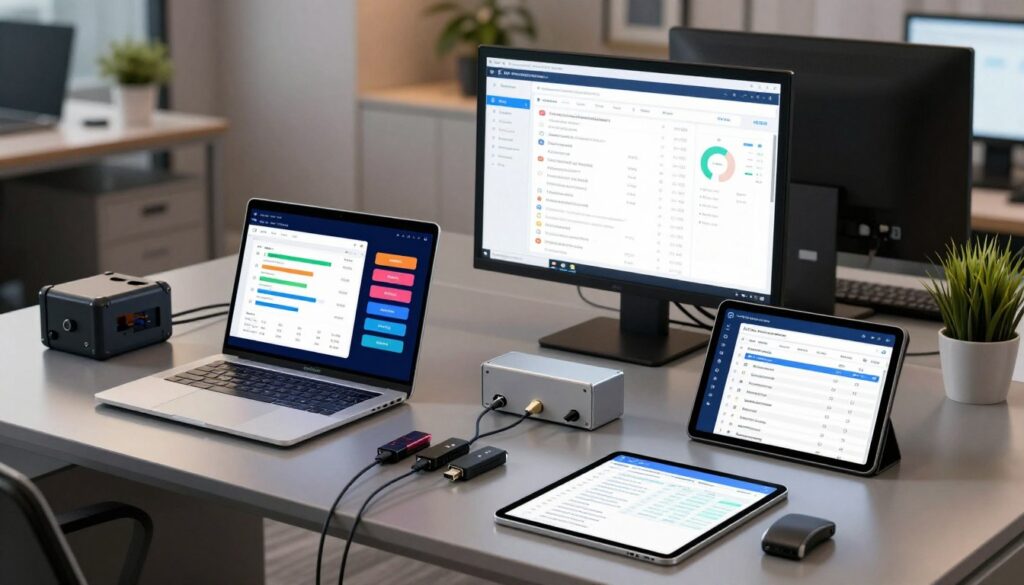
Your choice of tools defines how fast and safe your rollout will be. Start with Microsoft options for Windows estates and add third‑party coverage where needed. Keep Italian sites and CET windows in mind when you pick schedules and reporting.
Leverage SCCM, WSUS, and Windows Update for Business
Use SCCM for granular control and staged testing. WSUS centralizes approvals for on‑premises servers. Windows Update for Business gives cloud policies, rings, and deferrals to limit impact.
Augment with third‑party solutions
Extend coverage with ManageEngine, Ivanti, SolarWinds, GFI LanGuard, or AutoMox for browsers, Java, and productivity apps. These tools add deeper reporting and non‑Microsoft updates in one console.
Adopt automation and VPT to prioritize remediation
Implement automated patch workflows that scan, approve, and deploy by policy. Pair that with VPT to rank vulnerabilities by exploit likelihood and business impact.
- Dashboards: monitor success, failures, and compliance by site.
- ITSM integration: auto-open tickets for failures and close on completion.
- Bandwidth controls: use peer caching to protect remote links.
Testing, Change Control, and Safe Rollouts
Testing early and often lowers risk and keeps your systems stable during updates.
Mirror production in test
Testing on representative hardware and the same line‑of‑business software helps you spot conflicts before they hit users.
Define objective acceptance criteria—boot times, CPU and memory deltas, and app launch success—to gate progression.
Use deployment rings and pilot groups
Start with IT, then move to pilot groups across departments, and expand in phases. That staged deployment reduces blast radius.
Document rollback paths and test them so a failed rollout can be reversed quickly with minimal disruption.
Change control and active monitoring
Capture risk assessments, backout plans, and communication templates in every change record. Keep approvals and test artifacts for audits.
Monitor telemetry—install codes, failure rates, and crash logs—and pause rings automatically when thresholds are exceeded.
Coordinate with application owners to verify compatibility and sign off before broad deployment. Reserve emergency flows for out‑of‑band zero‑day fixes, trading some test depth for speed while keeping minimal safety checks.
“A repeatable test and rollout cycle reduces outages and proves governance to auditors.”
Windows Patching Essentials for Today’s Environment

Windows updates arrive in regular waves and occasional emergencies, so your schedule must balance routine checks with rapid response.
Plan around Patch Tuesday (second Tuesday) to bundle validation, communications, and broad rollouts. Keep an emergency path for out‑of‑band releases when urgent vulnerabilities appear.
Types of Windows updates and sequencing
Distinguish security updates from feature and driver updates. Apply security fixes first to close exploited vulnerabilities.
Defer feature updates for groups until testing confirms compatibility. Treat driver updates—graphics, storage, and network—with extra care to avoid regressions on critical endpoints.
Coordinate OS and application cycles
Align operating system servicing with application releases. Verify software support before broad rollout to reduce downtime and incompatibility.
Use Windows Update for Business rings and WSUS or SCCM to stage approvals and hold specific KBs based on your lab testing and known issues.
Capture install success, reboot compliance, and help desk tickets to refine your approach over time.
Common Challenges and How You Overcome Them
Hidden conflicts between updates and legacy apps often cause the biggest outages. You can reduce surprises by testing early and keeping communication tight. Use targeted controls so critical services stay online while you apply fixes.
Compatibility issues and how to catch them early
Test updates against mission-critical software and hardware profiles in a virtual lab that mirrors your environment. Run scripted functional checks and simple user scenarios to reveal driver or app mismatches.
Keep a library of standard images and known-good baselines. That lowers variability and speeds troubleshooting when a conflict appears.
Minimizing business interruption with communication and timing
Schedule updates outside peak hours and announce restart windows in advance. Offer limited deferrals for important users but enforce final cut‑offs to meet compliance and close vulnerabilities.
Use clear templates for emails and intranet notices so help desk volume drops and users know what to expect.
Working within resource constraints through centralized automation
Centralize orchestration so one team controls policy, approvals, and reporting. Automated patch workflows and real‑time dashboards highlight failures and retries without manual chasing.
Document an exception process for systems that must delay updates. Capture residual risk, compensating controls, and executive signoff so the whole organization is accountable.
Conclusion
, Patch management reduces risk while keeping uptime and compliance within reach. Follow a disciplined cycle that combines inventory, testing, phased rollout, monitoring, and rollback readiness so your systems stay stable and your leadership sees clear metrics.
Use a risk‑based approach to prioritize vulnerabilities across software, operating components, and applications. Keep testing tight and plan cadence around Patch Tuesday while staying ready for urgent out‑of‑band fixes.
Choose tools that fit your estate, link patching to vulnerability management, and measure time to remediate. That mix of automation, governance, and prioritization improves security and lowers exposure.
Apply this strategy across your organization to protect production systems, speed safe deployment, and show auditors living evidence of continuous improvement.
FAQ
Why does patching matter for your organization right now?
You reduce exposure to active exploits and zero‑day vulnerabilities that attackers target. Timely updates also improve system stability and add features that keep your environment secure and productive, while helping you meet regulatory compliance and avoid fines.
How should you prioritize which systems to update first?
Use a risk‑based approach that ranks assets by criticality, public exposure, and business impact. Start with internet‑facing servers, domain controllers, and devices that host sensitive data. Combine CVSS scores, threat intelligence, and asset value to create a remediation queue.
What role does automation play in an effective program?
Automation speeds deployment, reduces manual errors, and shortens time‑to‑fix. Use patch orchestration tools to scan, schedule, deploy, and report. Automating repeatable tasks frees your team to focus on validation, exceptions, and incident response.
How do you test updates to avoid breaking production systems?
Maintain a representative test lab that mirrors production workloads. Run functional, performance, and regression checks. Use deployment rings or pilot groups to validate in small cohorts before a broad rollout, and keep documented rollback procedures ready.
How often should you schedule updates for endpoints and servers?
Combine regular cadence with emergency windows. Apply routine security and quality updates on a predictable schedule (for example, monthly), and reserve out‑of‑band windows for critical hotfixes. Align timing with business cycles to minimize user impact.
What do you do about users who need to defer updates?
Offer controlled deferral options through maintenance windows and policies that limit duration and frequency. Track deferred devices and enforce escalation for extended delays so exceptions don’t become persistent blind spots.
Which tools should you consider for cross‑platform coverage?
Use platform native tools like Microsoft Endpoint Configuration Manager, WSUS, and Windows Update for Business for Windows fleets. Add third‑party patching solutions to cover Linux, macOS, network gear, and third‑party apps, plus reporting and orchestration features.
How do you handle compatibility issues with complex applications?
Test patches against critical applications in a staging environment and validate integrations. Maintain configuration baselines and vendor compatibility matrices. If issues arise, apply targeted mitigations, engage vendors, and use phased rollouts to limit impact.
What metrics should you track to prove effectiveness?
Monitor time to deploy, percentage of systems up to date, failed installs, mean time to remediate high‑risk issues, and compliance posture by asset group. Use dashboards and automated reports to show trends and drive continuous improvement.
How do you prepare rollback and disaster recovery plans for updates?
Document procedures for uninstalling updates, restoring backups, and failing over services. Test rollback steps regularly in your lab so you can act quickly. Maintain recent backups and snapshot points tied to update windows.
How do you reduce business disruption during rollouts?
Coordinate schedules with stakeholders, communicate planned maintenance clearly, and use off‑peak windows. Deploy in phases with pilot users, and provide support resources during and after rollouts to resolve issues fast.
How does patching relate to vulnerability and configuration management?
Patching is a core remediation action within a broader vulnerability program. Combine asset inventory and configuration baselines with continuous scanning so you can detect, prioritize, and remediate weaknesses according to risk.
What are common obstacles and how can you overcome them?
Typical challenges include limited staff, diverse platforms, and change control friction. Centralize automation, standardize OS and configurations where possible, and use phased deployment and strong governance to scale with limited resources.