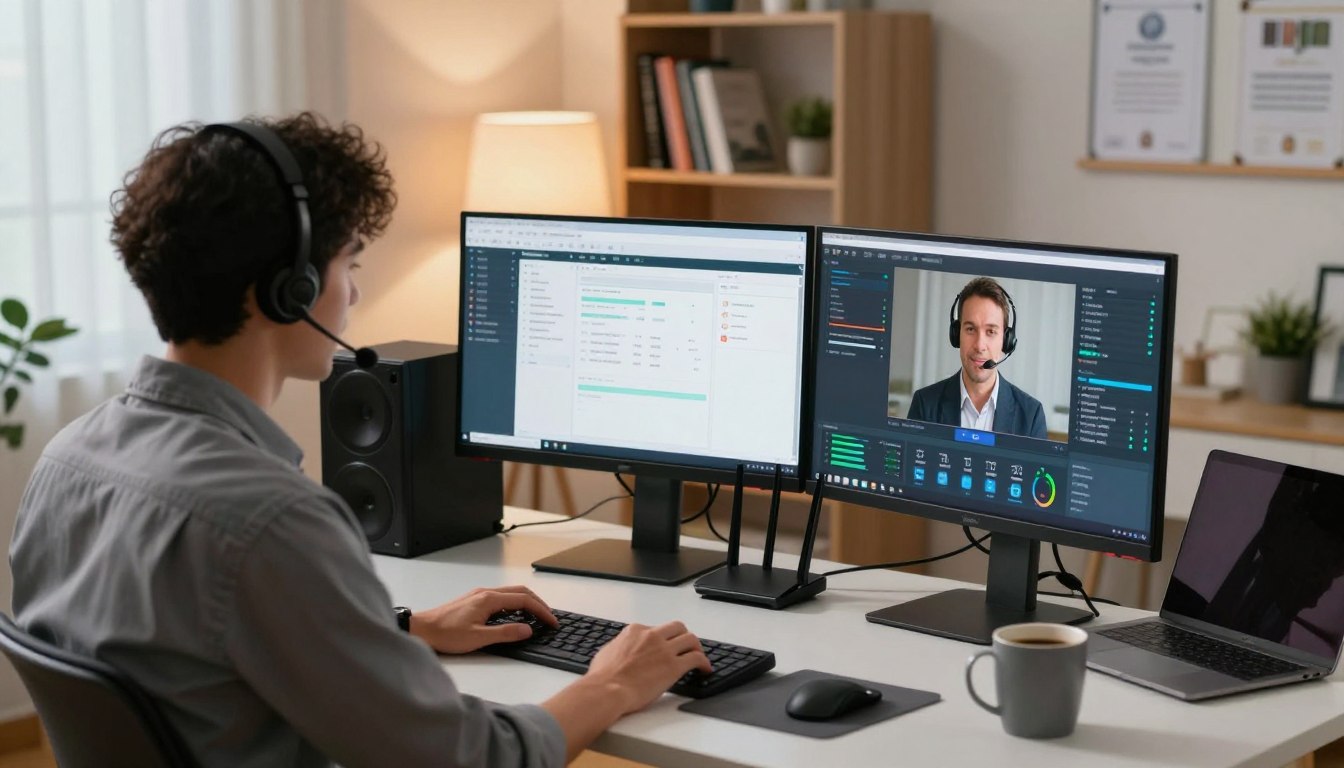
60% of companies now outsource one to four functions to managed service providers, according to Deloitte — a shift that reshapes how you protect operations and keep apps online.
You need a modern, secure model that resolves issues fast and avoids on‑site delays. With clear service scopes, your team can focus on growth while certified engineers handle cloud and infrastructure management.
Security matters. Aligning to ISO 27001 and ISO 9001 practices means encrypted sessions, strict access governance, and audited controls for every intervention.
Centralized monitoring and standardized tooling — think Jira for tickets, Nagios for monitoring, and TeamViewer or Splashtop for control — deliver near‑perfect availability and faster restoration.
The result is reduced risk, consistent user experience across sites and cloud, and measurable service levels that translate tech work into business resilience for your organization in Italy.
Key Takeaways
- Outsourcing to MSPs is common and boosts continuity for business operations.
- Security‑first processes aligned to ISO standards protect data and access.
- Centralized monitoring and proven tools improve uptime and response times.
- Defined service catalogs and SLAs make technical work visible to stakeholders.
- Standardized playbooks scale with cloud growth and new sites.
What Is Remote IT Support Today

Modern helpdesk work lets technicians join active sessions and fix systems in minutes, not hours.
You get authenticated access into endpoints and central systems so a qualified team can diagnose issues in real time without need for on‑site visits.
Typical sessions resolve a problem, apply patches, adjust configurations, and guide users through fixes. Engineers can share screens, take secure control, and then disconnect after resolution.
- The model compresses time to resolution by removing travel and scheduling delays.
- It scales from a single device to full infrastructure with centralized monitoring and documented runbooks.
- Security is built in: encrypted, time‑bound access that is authenticated and audited.
“By combining automation with experienced technicians, many issues are fixed instantly and complex cases are escalated promptly.”
| Benefit | What It Means | When to Use |
|---|---|---|
| Faster fixes | Start troubleshooting within minutes | Outages, software errors |
| Lower cost | Fewer travel visits and shorter downtime | Routine maintenance, patches |
| Consistent outcomes | Documented solutions and repeatable playbooks | Distributed teams, hybrid operations |
remote IT support Services We Deliver

We offer a layered service model that speeds fixes and scales to complex architecture needs. This gives you fast resolution for common incidents and access to senior engineers for deep problems.
Multi-tier helpdesk and escalation
L1 handles common user incidents and routine requests so you get quick closures.
L2 covers complex technical cases and basic infrastructure changes.
L3 tackles advanced problems, code-level fixes, and architectural improvements.
Applications, websites, and data platforms
We monitor availability, run incident resolution, and apply code remediation when performance bottlenecks appear.
Data services include design, administration, scheduled backups, capacity monitoring, and disaster recovery planning.
Networks, data centers, and cloud
Proactive monitoring, vulnerability scanning, and compliance reviews (GDPR, HIPAA, PCI DSS, FDA) keep operations compliant.
Cloud coverage spans IaaS, PaaS, and SaaS: deployment, optimization, cost control, and performance tuning.
Endpoints and user enablement
Workstations are managed end to end: provisioning, software updates, configuration, and malware removal.
We also create knowledge bases, FAQs, and user guides to reduce recurring tickets and empower your team.
| Service Area | Key Activities | When to Engage |
|---|---|---|
| Helpdesk (L1–L3) | Incident handling, escalation, code fixes, architecture changes | Day-to-day incidents, major outages, architecture projects |
| Applications & Websites | Uptime monitoring, incident response, code remediation | Performance issues, defects, availability SLAs |
| Data & Storage | Design, backups, capacity, DR planning | Database growth, recovery requirements, compliance |
| Network & Data Center | Proactive monitoring, vulnerability scans, compliance | Security reviews, infrastructure audits, migrations |
| Cloud Services | Deployment, optimization, management, tuning | Cloud migrations, cost reduction, scalability needs |
Secure Tooling and Best Practices for Remote Helpdesk Management

A hardened toolchain and clear practices are the backbone of safe, efficient helpdesk operations. You standardize a modern stack—Splashtop or TeamViewer for secure sessions, Jira for ticket workflows, and Nagios for monitoring—to unify visibility and accelerate response.
Session security and identity controls
Every session must be auditable and encrypted. Splashtop secures sessions with AES‑256 encryption, device authentication, and two‑factor authentication. It also supports SSO with Okta and Azure AD to reduce identity risk.
Operational hardening
Enterprise features add remote commands, scripted tasks, SIEM logging, IP restrictions, and unattended Android coverage for kiosks and POS devices.
These controls let your team manage updates, run alerts, and correlate events across network and infrastructure domains.
Vulnerability and compliance program
You operationalize vulnerability management with scheduled scans, prioritized remediation, and regular penetration testing by certified assessors.
Regulatory alignment is continuous: controls are mapped to HIPAA, GDPR, PCI DSS, and FDA and kept audit‑ready.
Transparent reporting
Reporting covers SLA attainment, maintenance logs, health checks, security audits, and incident RCAs logged in Jira. This gives you measurable performance and clear paths to fix root problems.
“Security by design and continuous monitoring turn one-off fixes into lasting resilience.”
Delivery Models, Coverage, and SLAs
Choose a delivery model that matches your operations and guarantees predictable response times. This section explains the service options, coverage windows, and measurable SLAs you can adopt for your environment.
Service options
You can pick a user‑focused IT service desk, an infrastructure‑centric NOC, application support for product teams, or dedicated cloud support.
Each option routes incidents to the right team and keeps accountability clear across service lines.
Coverage windows
Coverage aligns to your local business hours in Italy: 24/7 for always‑on operations, 12/7 or 12/5 for extended shifts, and 8/5 for standard days.
Choose the hours that match your risk profile and user expectations so the service behaves like part of your operations.
Response and change windows
Expect rapid, measurable timeframes: first response is sub‑minute on calls — 40 seconds for 90% of calls — and urgent changes are executed within 4–16 hours.
Incidents are triaged by priority, moved through L1–L3 escalation, and handled by the correct support team without delay.
- Managed service delivery with standardized SLAs, change windows, and maintenance schedules.
- Centralized management, network monitoring, and runbooks let the team isolate faults and verify stability before closure.
- The model scales with your infrastructure and seasonal demand while keeping stakeholders informed about backlog and risks.
You retain visibility and control while our team executes to agreed metrics, giving reliable outcomes and predictable service quality.
Pricing Models, Support Costs, and ROI
Pricing choices should match how your organization budgets and scales service delivery. Choose an approach that gives predictable spend or flexible dosing for seasonal demand.
Flexible pricing options
You can pick a subscription fee for predictable monthly billing, time & materials for elastic needs, per‑user rates to match headcount, or per‑ticket pricing to link cost to activity.
Each model changes how you forecast and how fast you can scale the managed service relationship.
Primary cost drivers
Support costs depend on ticket volumes, coverage windows (24/7 versus 8/5), the mix of L1/L2/L3 tasks, and the chosen toolset for monitoring and sessions.
Security programs, such as 24/7 monitoring and regular penetration tests, add value and reduce long‑term risk.
ROI and cost reduction
Return on investment comes from faster time to resolution, fewer escalations, and less downtime. These translate to avoided revenue loss and higher user productivity.
- Proactive monitoring and automation cut the number of issues entering the queue.
- Cloud and infrastructure optimization trim waste and lower ongoing costs.
- Dashboards expose data on ticket drivers and MTTR so you target savings.
| Pricing Model | Best For | Cost Predictability |
|---|---|---|
| Subscription fee | Stable load, long‑term partnerships | High |
| Time & Materials | Variable demand, short projects | Medium |
| Per‑user | Growing headcount, uniform seats | Medium‑High |
| Per‑ticket | Activity‑driven budgeting | Low‑Medium |
Proven Results: Industries, Certifications, and Case Highlights
Measured performance across industries confirms resilient infrastructure and rapid change velocity. You get evidence, not claims, tied to audited controls and partner integration.
Assurance. ISO 9001 proves mature quality management, and ISO 27001 validates information security. These certifications anchor process discipline and continual improvement for your operations.
Measured outcomes
Availability and fixes. Continuous monitoring and resilient design deliver 99.96–99.99% application availability. Hotfix rollouts are executed in under 24 hours, preserving uptime and user trust.
Error reduction. Focused problem management produced up to 98% fewer runtime errors in targeted software and ERP domains. Your team sees fewer repeat incidents and steadier releases.
Selected projects and partnerships
We adapt services across healthcare, banking, ecommerce, and manufacturing to match regulation and scale. Enterprise partnerships include Microsoft, AWS, ServiceNow, Oracle, and Adobe to ensure smooth integration with your stack.
| Metric | Result | Typical Impact |
|---|---|---|
| Availability | 99.96–99.99% | Reduced downtime, higher customer trust |
| Hotfix lead time | <24 hours | Fast recovery, limited business impact |
| Runtime errors | Up to 98% reduction | Fewer incidents, stable releases |
| Desk performance | 7-min FTR; 20-sec FRT on calls | Faster closure, fewer escalations |
“Audit-backed controls and vendor alliances turn monitoring into measurable performance gains.”
Infrastructure and cloud resilience. Layered monitoring, automated recovery, and tested rollback plans raise confidence in your data, network, and software layers.
With this approach, your remote support model scales reliably. You keep visibility and proven metrics that leaders in Italy expect.
Conclusion
Choose a partner that acts fast, protects access, and keeps your systems running with minimal disruption.
Engagement can start immediately via a secure session. A vetted support team connects with permissioned access, resolves tech issues, then disconnects so your systems stay private.
Some providers offer a “no fix, no fee” option to de‑risk first engagements. Pick a managed service with the coverage range and SLAs you need to control costs and time to resolution.
With clear playbooks, maintenance and software updates happen on schedule. Our engineers handle cloud, network, and infrastructure checks so your team avoids recurring tech support tasks across locations.
If you want to get back to full productivity, get touch now. We will align scope, fees, and SLAs, then begin measurable improvements from week one and act as your single service provider without extra visits.
FAQ
What does Remote IT Support include today?
You get a full suite of services that cover helpdesk, monitoring, incident management, and proactive maintenance. This includes multi-tier helpdesk escalation (L1, L2, L3), application and website incident resolution, data platform administration and backups, network and on‑premises data center oversight, cloud management across IaaS/PaaS/SaaS, workstation configuration, and end-user enablement like knowledge bases and FAQs.
How do helpdesk escalation paths work?
A tiered model routes issues by complexity. Level 1 handles basic account and access problems and quick fixes. Level 2 takes on deeper system and application troubleshooting. Level 3 manages code-level defects, complex database work, and infrastructure architecture decisions. This keeps resolution efficient and minimizes downtime for your business.
Which tools are commonly used for secure remote service delivery?
Providers use a stack that often includes Splashtop or TeamViewer for session access, Jira for ticketing, and Nagios for monitoring. You should also expect centralized logging, configuration management, and cloud management consoles for visibility and control.
How is security enforced during offsite troubleshooting?
Security relies on encryption for sessions, strong device and user authentication, and multi-factor authentication. Change control, role-based access, and least-privilege policies prevent unauthorized actions. Regular vulnerability scans and penetration testing validate defenses and reduce risk.
What compliance standards do providers support?
Many partners align with HIPAA, GDPR, PCI DSS, and FDA requirements depending on your industry. They provide documentation, controls, and audit-ready reporting to help you meet regulatory obligations.
How do you ensure service quality and transparency?
Look for clear SLAs covering response and resolution targets, maintenance windows, health checks, and security audit reports. Regular performance dashboards and scheduled reviews keep you informed about availability, incident trends, and improvement plans.
What delivery models are available for ongoing service?
Options include a traditional service desk, network operations center (NOC), dedicated application support teams, and cloud-focused management. You can choose blended models that match your infrastructure, business hours, and operational needs.
Can coverage be aligned to your business hours and needs?
Yes. Coverage options commonly offered are 24/7, 12/7, 12/5, and 8/5. You can mix coverage levels for core services and on-call escalation for critical systems to control costs while protecting business-critical operations.
What are typical response commitments?
Providers may offer sub‑minute acknowledgments for urgent alerts, with target resolution windows based on priority. Change windows for scheduled work are coordinated to minimize impact, and emergency changes follow documented rapid‑response procedures.
How are services priced and billed?
Pricing models vary: subscription fee, time & materials (T&M), per-user pricing, or per-ticket rates. Many vendors combine models—monthly subscriptions for baseline coverage and T&M for project work—so you can forecast budget and scale services as needed.
What drives the total cost of service?
Cost drivers include request volume, coverage hours, number of endpoints and users, escalation levels, required tooling, and regulatory compliance efforts. Higher automation and proactive monitoring can lower incident frequency and improve ROI over time.
How do you measure value and ROI?
Measure uptime improvements, mean time to repair (MTTR), incident reduction, and user satisfaction. Reporting that shows faster hotfix delivery, fewer repeat incidents, and lower operational overhead demonstrates direct business value.
Which industries benefit most from these services?
Sectors with high availability and compliance needs—healthcare, banking, ecommerce, and manufacturing—see strong benefits. Providers with ISO 9001 and ISO 27001 certifications and vendor partnerships add credibility and assurance.
How do providers handle data platforms and disaster recovery?
They design and administer databases, implement backups, perform performance tuning, and build disaster recovery plans. Regular restore tests, documented RTO/RPO targets, and off‑site copies protect your critical data and operations.
What about workstation and endpoint management?
Services include user setup, patch management, configuration, and malware removal. Endpoint monitoring and automated patching reduce vulnerability windows and keep your workforce productive with minimal interruptions.
How do you get started or contact a service provider?
Begin with a readiness assessment that reviews your infrastructure, cloud footprint, monitoring posture, and security controls. Ask for a tailored proposal showing services, SLAs, pricing options, and a transition plan to minimize onsite visits and speed time to value.